Coming soonGoogle CalendarYour calendar next to your mail, so Initial knows what's already on your schedule.
Make a trip your own
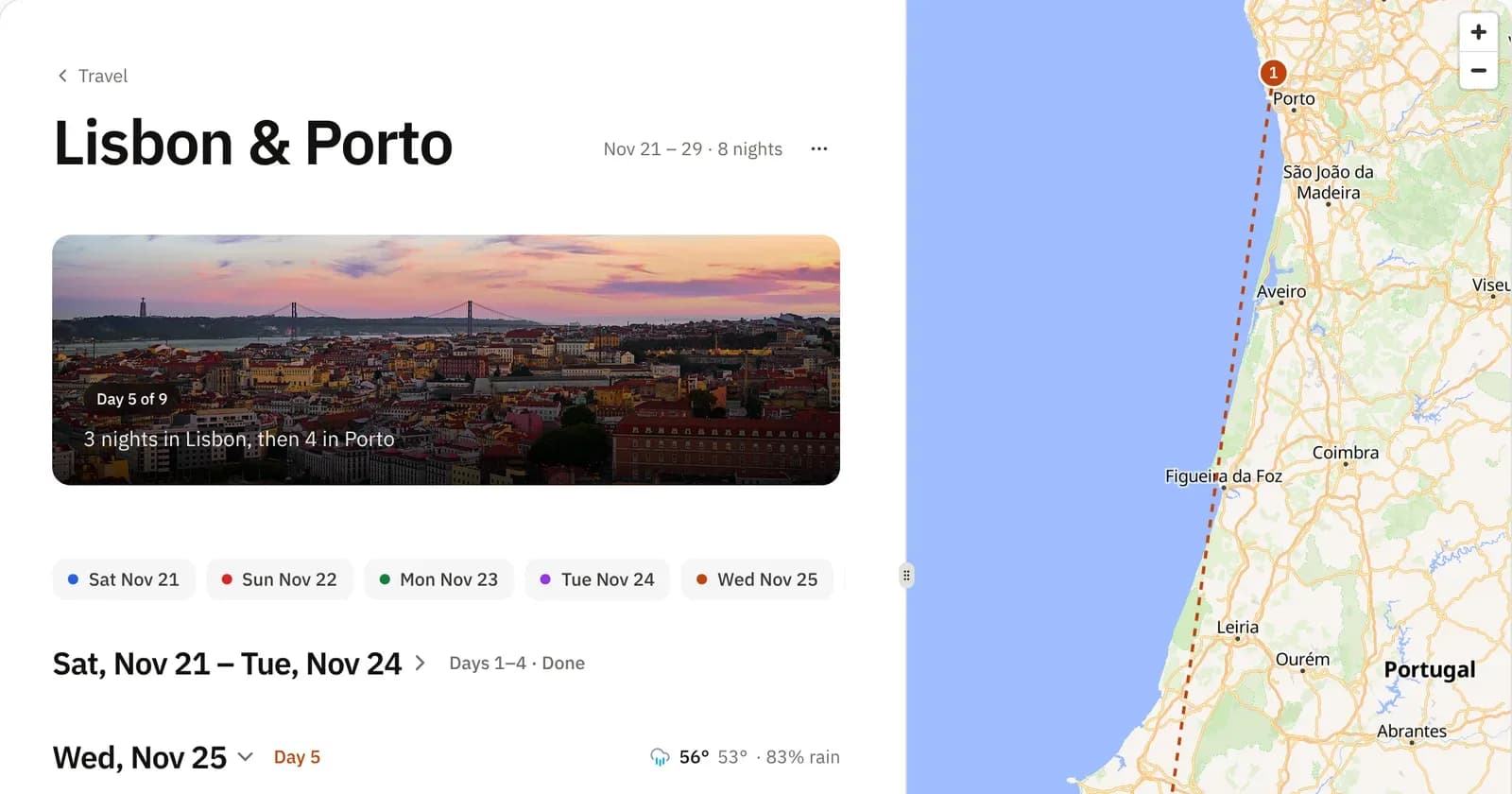
Edit or delete anything on a trip, including the Trip Helper's notes, keep notes on any place, and drag places and notes around a day or onto another. Each day's stops are numbered in their own color on the itinerary and the map, and the trip's title stays in view as you scroll.
Waiting on you, rethought
For each new email, Initial now works out who has the next move, you, someone else or nobody, reading it alongside the rest of its Topic. Each Topic keeps a to-do list of what's yours, and Home shows one post per Topic with a box to check off each ask, including things like a service you need to book. What you finished in the last two weeks stays below, and You're waiting on works the same way for what others owe you.
One draft, wherever it was written
Every email chat or a Helper writes for you is a draft you can keep changing just by asking: who it goes to, cc and bcc, the subject, the words, and the files from your Library attached to it. Chat can forward an email with its attachments too. A reply written in a chat is that email's reply, so the same draft shows on Home, on the email and in the chat.
Share a single highlight
Share any highlight, like a reservation or a delivery, with its own link from the Share button beside its status. The link's preview shows the card, the page follows it as it changes, and hiding the highlight takes the page down.
Reply to a single chat message
Slide a message in any chat, including a Topic's, to reply to it, with a quote of it in the message box, or slide it the other way to see when it was sent. Tap a quote to jump back to the message it quotes. On the web, hover a message for its time, Reply and Copy, and on your phone, hold one for the same menu, plus Select to copy part of it.
22 smaller improvements
Home2
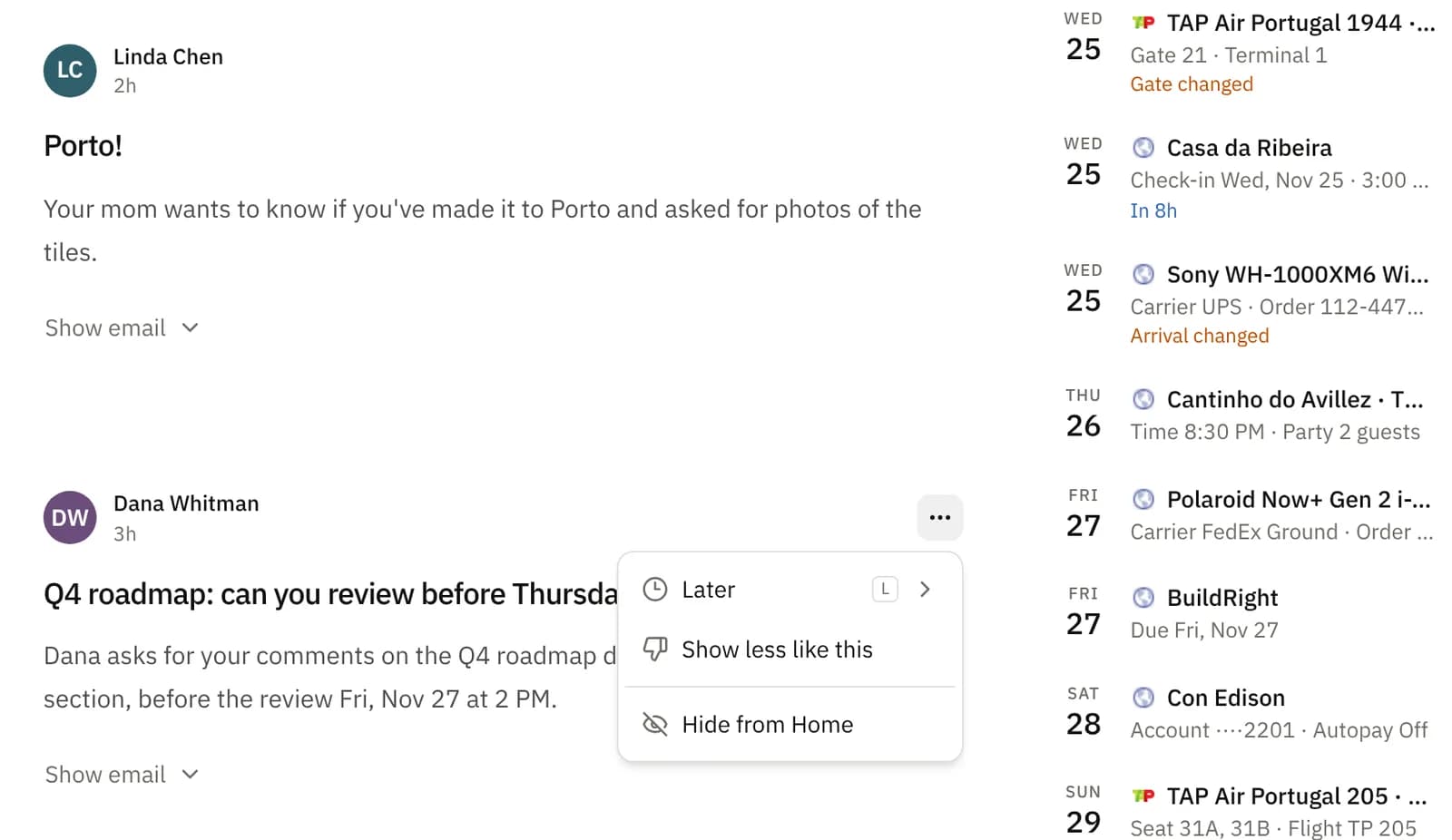
·Swipe a post on Home for its actions: Later, Show less like this, or Hide from Home. The same menu sits behind a post's ⋯.
·Each new visit to Home clears what you've already read, and posts with news move to the top.
Topics5
·A new email you write from a Topic's chat joins that Topic once it's sent.
·Brokerage and trading notifications stay out of Topics and Receipts.
·Each email in a Topic shows its own news, instead of a summary of the whole thread, and a Topic's page opens straight into its chat.
·Updates are dated by their email, with the year when it isn't this year, so an old order no longer reads as recent.
·A Topic that ended months ago is less likely to pull in new, unrelated mail.
Chat and Helpers4
·Tell a trip's chat your plans and it puts them on the itinerary, even without a set place or time, and its changes show on the open itinerary right away.
·In the chat drawer and side panel, suggestions and the message box float over the conversation, as they do in full-page chat.
·Links in chat show by their site instead of a long tracking address, and a list of links stays inside the chat.
·Give your Personal Helper a name of your own, in Settings under Helpers or by asking it in chat. It goes by that name everywhere it shows up.
Mail and replies3
·A reply you send shows as sent everywhere, on Home, in what's waiting on you and in the email itself, and Send works on the first tap.
·Chat can attach a file from any of your emails to a draft.
·In the composer, one draft has no empty bar over it and several show as tabs you can close. A draft open in the composer is only edited there, and closing asks first only when there's something to lose.
Travel2
·A trip links to the Topic that holds its bookings, so the Topic's page shows the trip's itinerary.
·The flight Live Activity shows terminals the way the Home card does, with times from the newest data.
iPhone3
·In a Topic's chat, Return starts a new line and the Send button sends, like every other message box.
·A trip Topic's Itinerary tab shows the whole trip in place: its photo, a map button and each day's plans.
·An email opened from a Topic shows the sender's name and address, the full date and time, and who it went to.
Fixes3
·Prepared replies keep their line breaks instead of coming back as one paragraph.
·A flight's terminal follows its live gate, so a gate change never shows the old terminal.
·On your phone, a message you send in a Topic's chat appears in place above the keyboard instead of dipping under it.
A new trip page
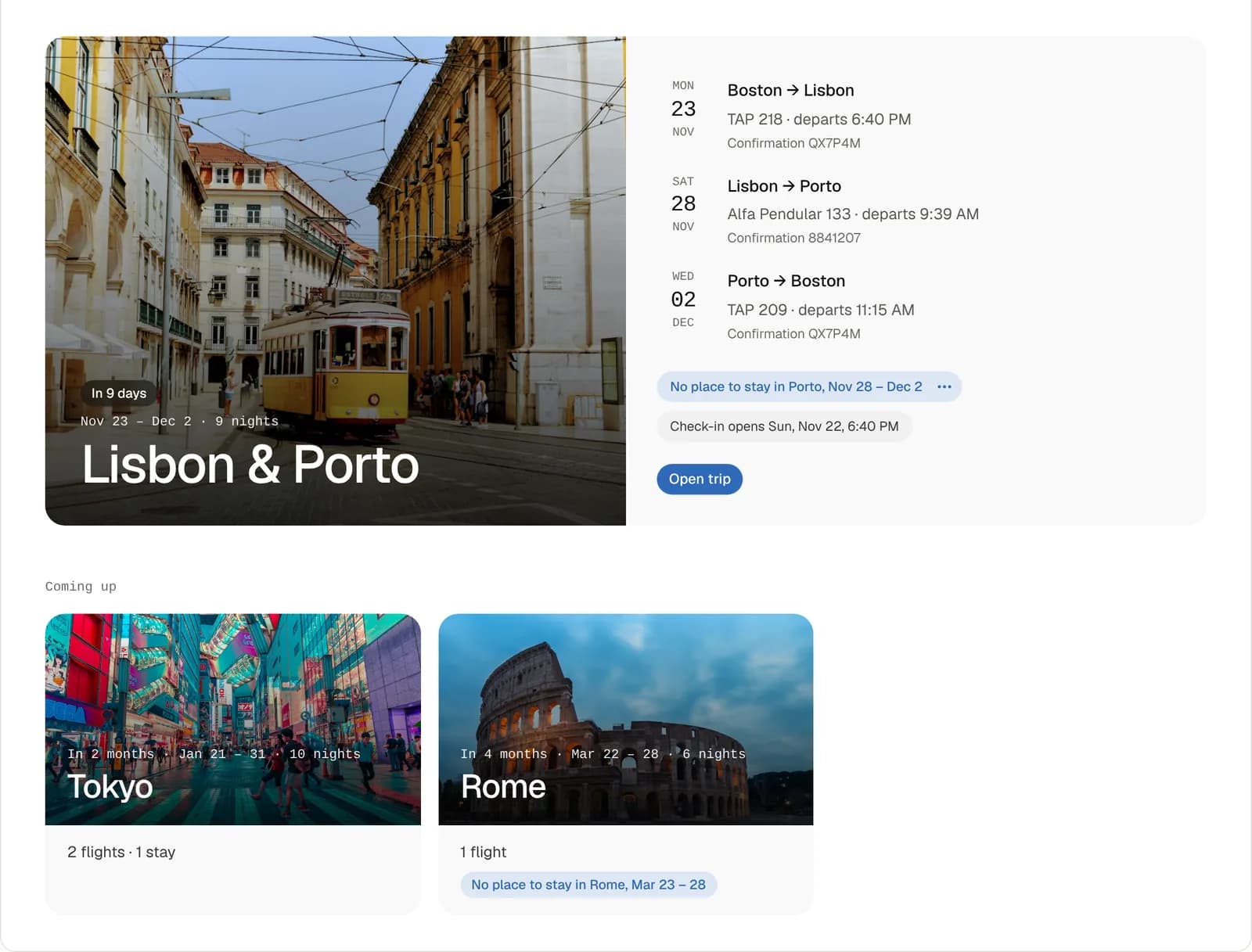
Each day of a trip shows its weather, and you and the Trip Helper can add places and notes anywhere in a day. The whole trip sits on a map you can resize, with photos of the places you're going, and stretches with nothing planned fold down to one line. On your phone, the map opens full screen from a button beside the chat box.
Follow a shared Topic by email
Anyone with a shared Topic's link can subscribe and get an email each time its Scoop changes, so the people you're planning with stay up to date without an account.
Live updates on Home
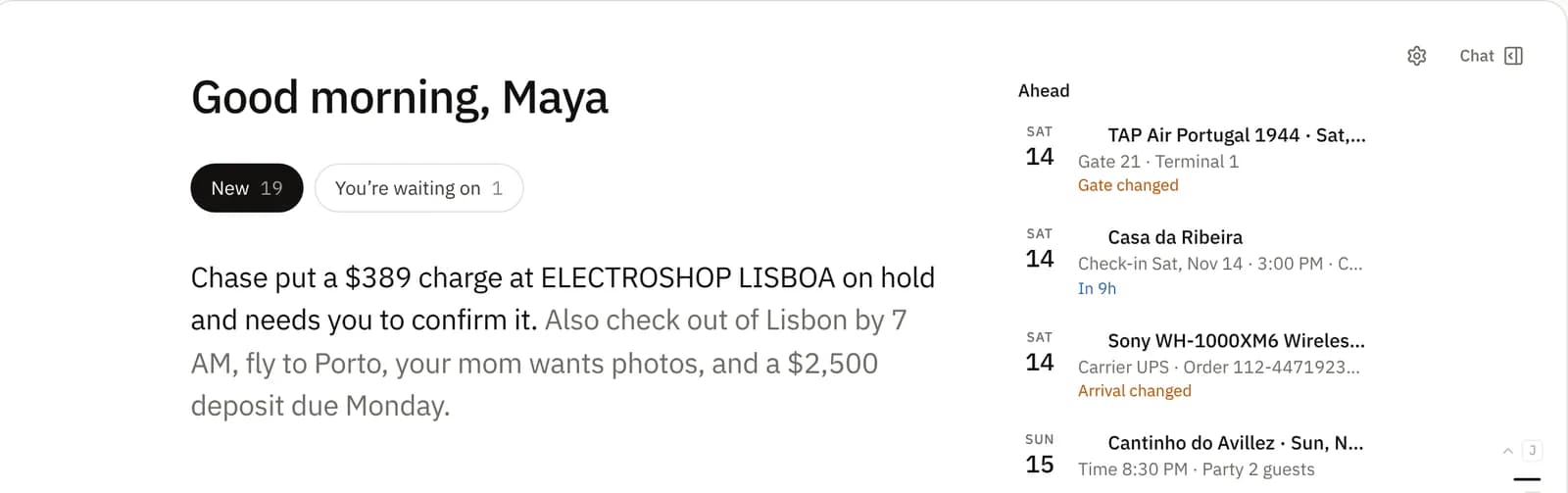
When a flight or package changes, Home gets a post only if there's something you'd want to know, like a delay, a gate change or a new delivery day. Each post carries the flight's route or the package's tracker, marked Live tracking.
Meetings bring their details
A meeting in a Topic now shows its notes, a Join button until the call ends, and the files attached to the invite, on the web and your phone. Chat and the prep note before a meeting use them too.
Chat reads attachments
Chat and the Reply Helper now open the files someone sent you, including Word, PowerPoint and Excel files and images, and read the ones the answer depends on. A reply about a quote or a schedule can draw on what's in the attachment.
Flight tracking that keeps up
Flights keep updating while they're in the air, with extra checks around the expected arrival, so the ETA, arrival gate and delay stay current. Gates and delays come from a more accurate source for US airlines, and a landed flight is measured against its schedule, so a late arrival reads late and then shows your carousel.
A better flight Live Activity
The Live Activity on your Lock Screen counts down to boarding, shows the airline's logo, gives times in both the departure and arrival time zones, and follows dark mode.
Meet your Personal Helper
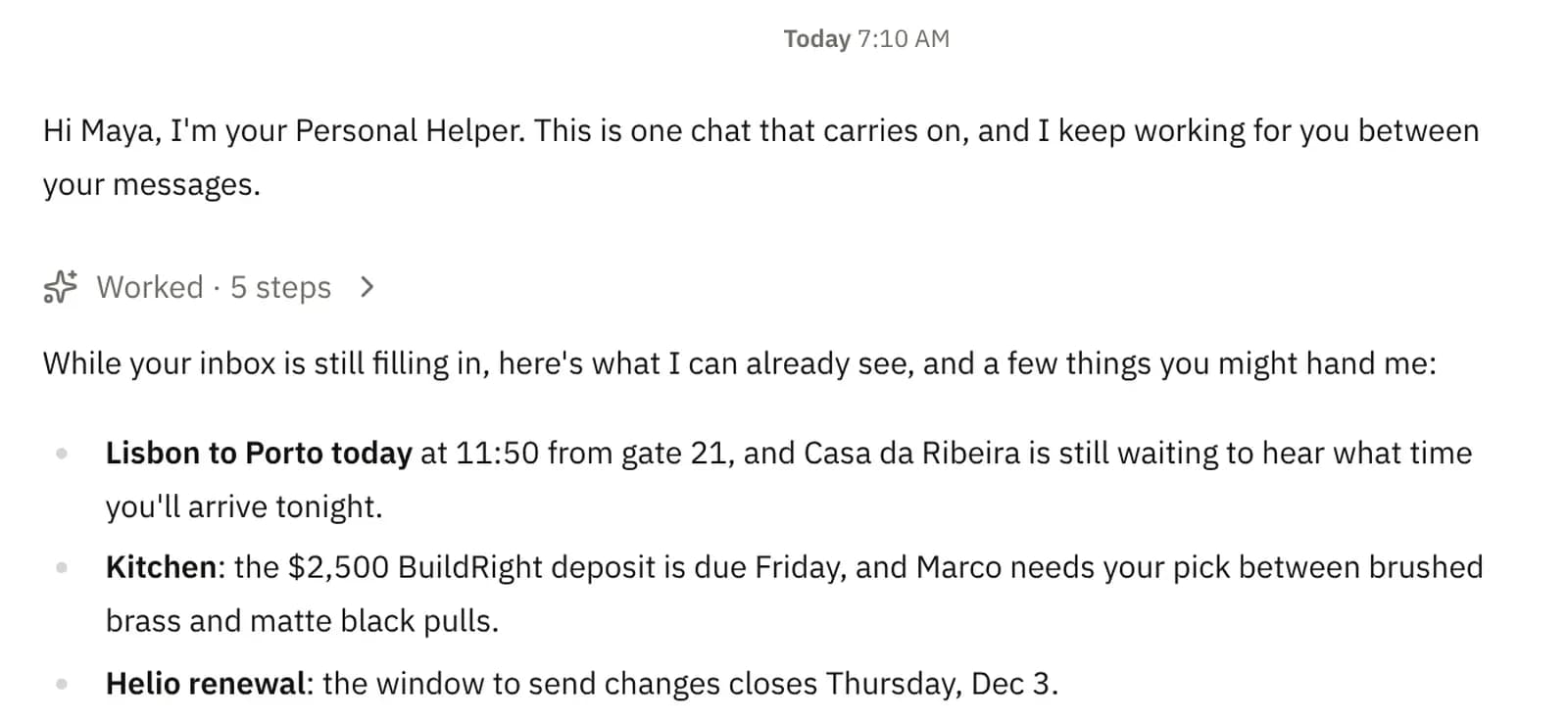
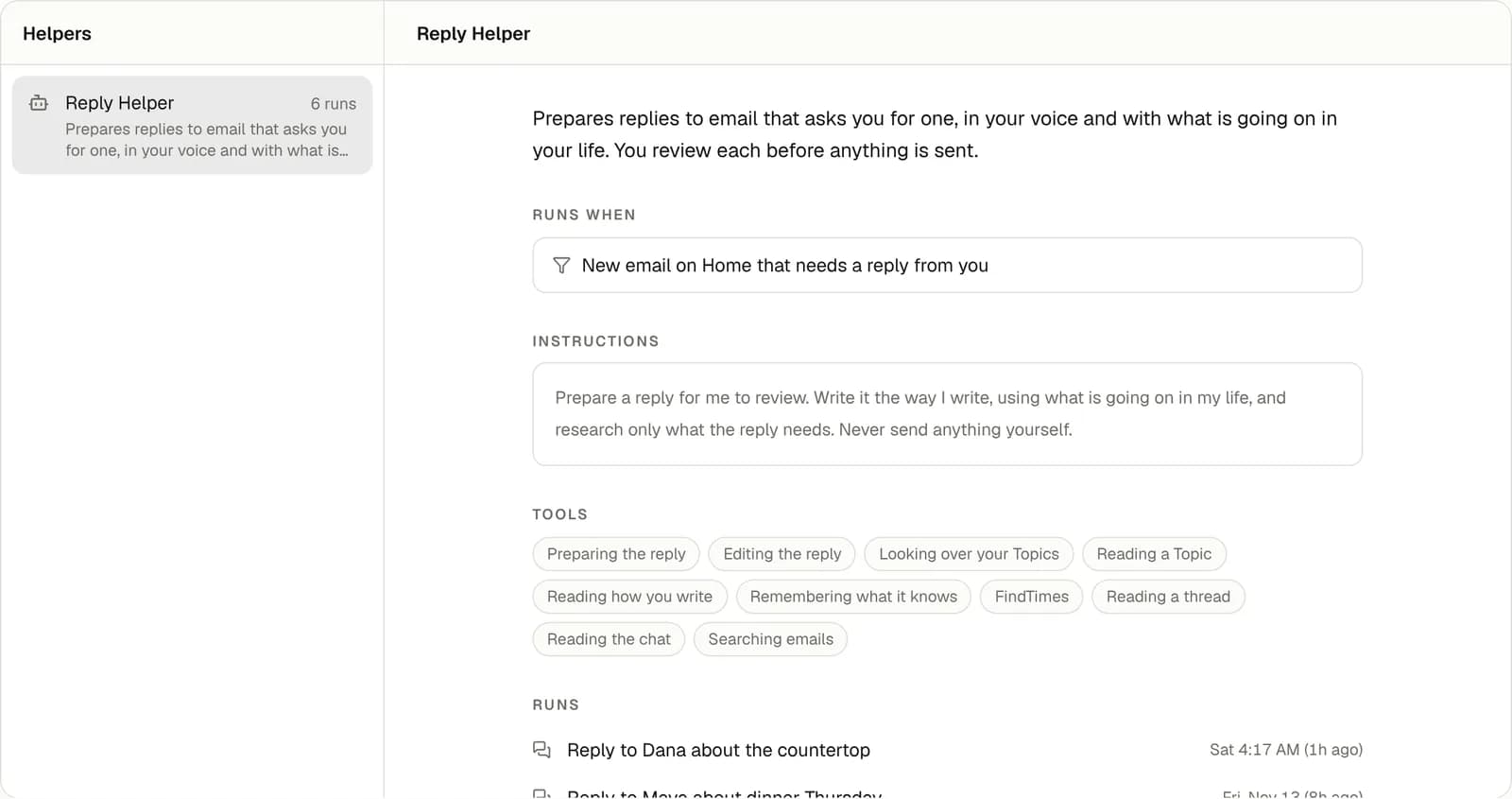
A new Chat page, in the sidebar and in the dock on your phone, holds one ongoing conversation with your Personal Helper. It says hello when you join, shows a dot when it has news, and the other Helpers post their updates on Home. The Helpers page lists every Helper with its check-ins, what it remembers and its notes.
Send later
Schedule a reply to go out later. Initial rewords it to fit the time it's sent, and holds it if the other person writes first.
Do anything from chat
Chat can now fix a highlight and keep the fix, take any action you could take yourself, open the page you need, and change how things look, from inbox density, avatars and summaries to the theme.
Replies in a tray
Reply cards on Home open a soft tray with the research and the draft together. Edit opens the full composer and brings you back to Home when you're done, and every email page uses the same tray.
Connect email beyond Gmail
Bring your IONOS, iCloud, Fastmail, Yahoo or Zoho inbox, or any other email that works over IMAP, when you sign up or later in Settings, on the web and on your phone. Pick your host and Initial fills in the server details and tells you when it needs an app password. Cleaning works the same as with Gmail, archiving and filing mail into your own folders, and the filing rules already on your mail server are shown so you can bring them into Initial.
Reorganize your Topics from chat
Ask chat to move an email into a different Topic, take one out, rename a Topic, merge two that are really the same thing, or split one that grew into two. Your changes stick, so Initial won't quietly undo them later, and each one shows up in the Topic's chat. When Topics merge, the old chat stays whole behind a single line you can open.
A Topics page, and Topics that wrap themselves up
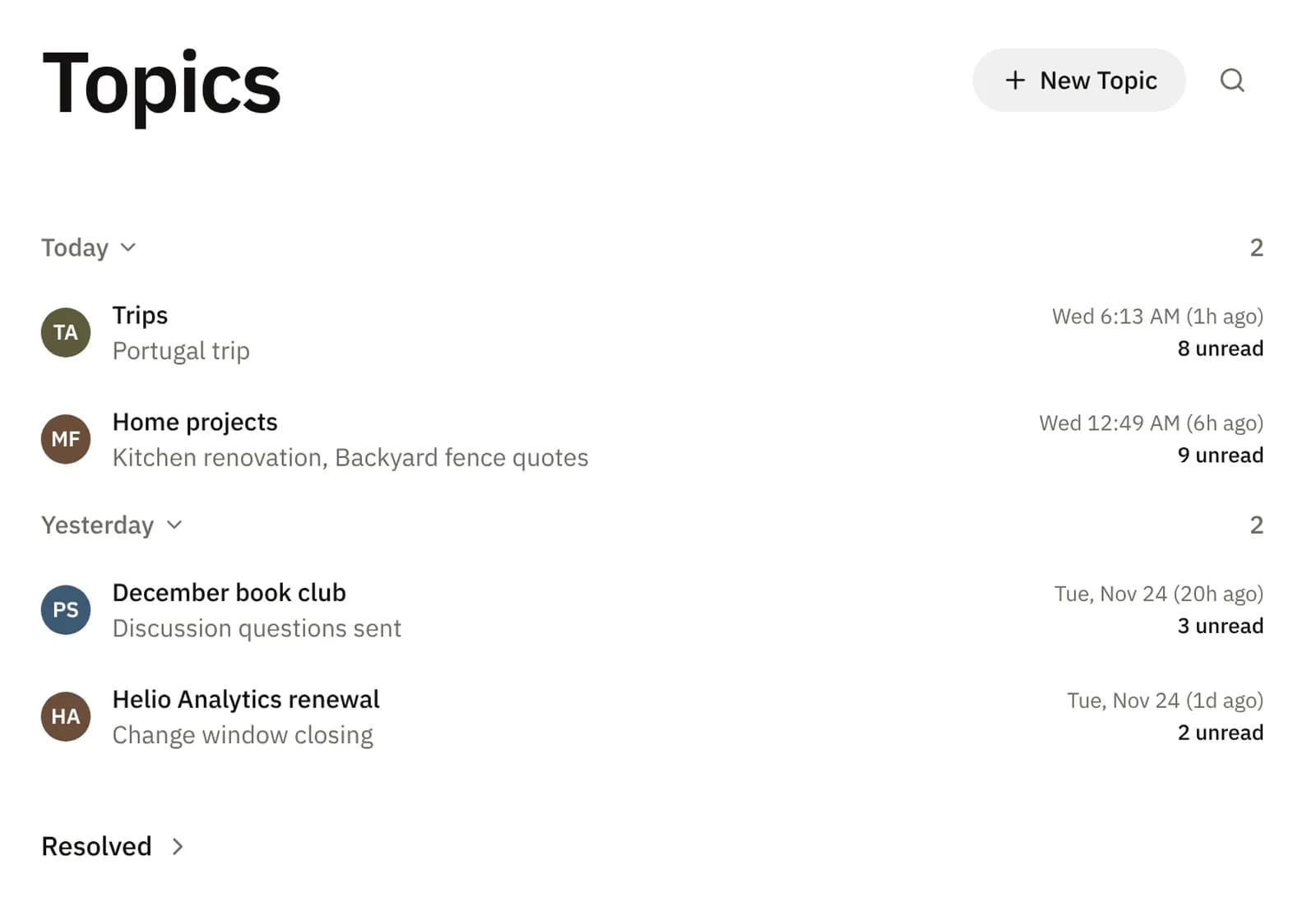
Topics now have their own page, with a Resolved section for the ones that are done. Each Topic also picks its own date to check whether it has quietly ended, so a delivery that arrived or a plan that happened closes on time instead of lingering for weeks.
Clear anything off Home
Every post on Home can now be dismissed, along with highlights and items in Ahead, Later and Replies ready. On your phone, swipe a post for Later or Dismiss. A dismissed post stays gone until new mail arrives in that thread. To change what Home shows, just tell chat.
Trip Helper check-ins
The Trip Helper now sets its own reminders for a trip, like when online check-in opens, a balance that's due to your host, or the evening before you fly. What it does when a booking arrives or changes is a routine on the Helpers page that you can switch off or give extra instructions.
51 smaller improvements
Home5
·Helper posts on Home count as New, sit among your mail by time, and notify you once.
·Tap a post's photos to see them full screen and swipe through.
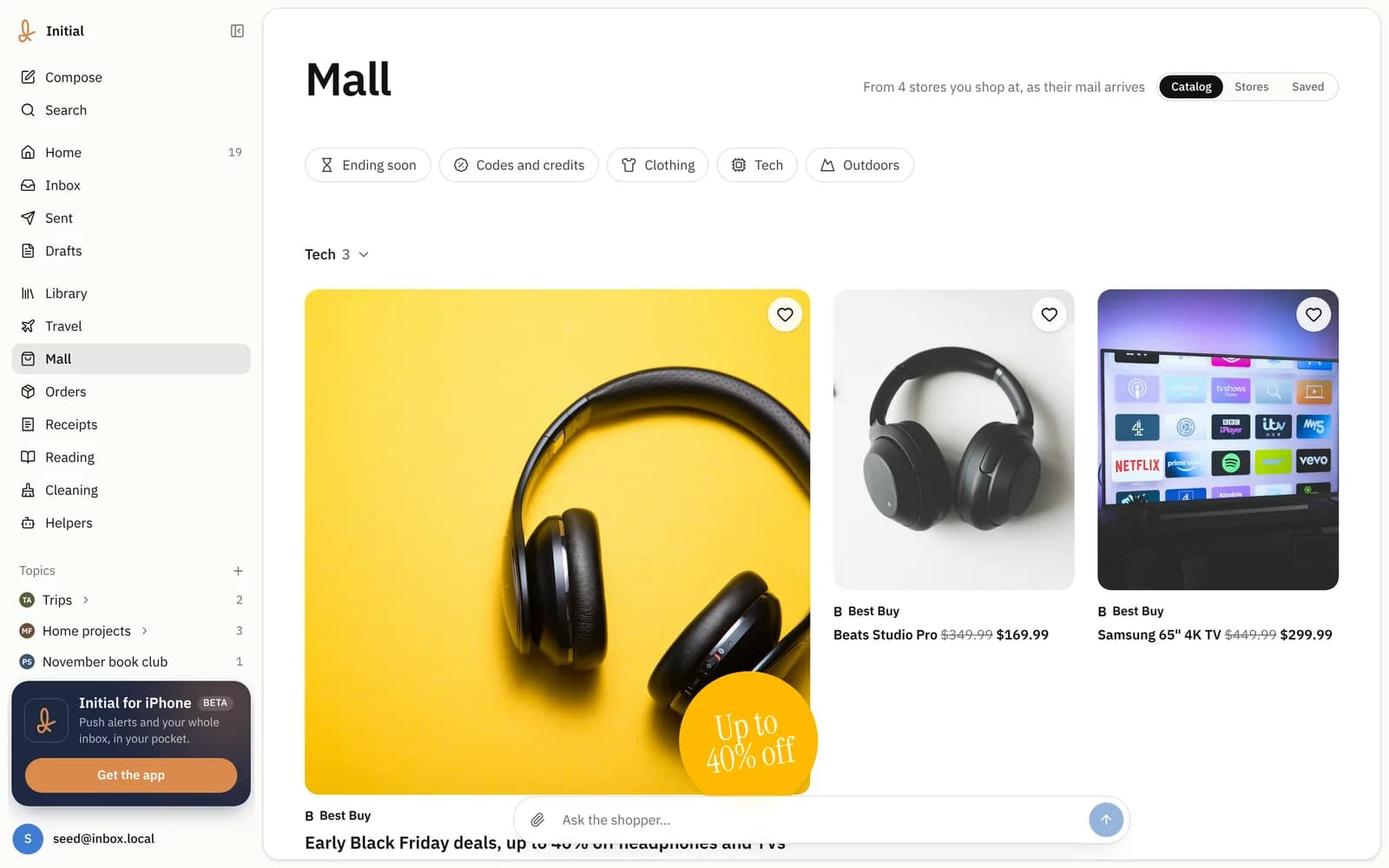
·Helper posts on Home can show photos, so the Mall Helper's finds come with pictures of the products, and every Helper has its own avatar.
·Posts you've already read come back below “You're all caught up” on Home.
·Opening an email from a widget or notification keeps Home underneath, so Back works.
Topics7
·A Topic's list of source emails reads oldest to newest.
·Your own reply now updates a Topic's Scoop, and a simple thanks or confirmation no longer lands in what you're waiting on.
·A Topic's chat no longer retells each new email under its Scoop, and only speaks up when it has something to add.
·Topic groups fold their resolved Topics into one row, and a whole group can collapse into a single row.
·Ask chat to move a batch of emails into a Topic at once.
·Share a group of Topics from its page.
·Highlights and Home posts about a sub-Topic open its parent Topic, right at that highlight.
Chat and Helpers12
·Switch to any Helper from a Helper's chat, and on the web Helpers now live in Settings.
·Long chats stay fast to scroll.
·Chat knows when you've already replied to an email, so it doesn't list it as waiting on you.
·Long chats stay sharp: older messages fold into a summary that chat can go back and reread.
·Chat on your phone is smoother: replies appear word by word, the last line stays in view when the keyboard opens, and the reply box grows over the keyboard.
·Each trip and each Helper keeps one ongoing chat, the same on the web and your phone.
·Chat replies keep going if your connection drops or you leave the page, and you can send a new message mid-reply to redirect it.
·Late at night, “tomorrow” in chat means the morning ahead.
·Links in chat open in a new tab.
·Each Helper's hello waits in its chat with a dot until you open it, and Helper chats show times, a New line and a jump to unread.
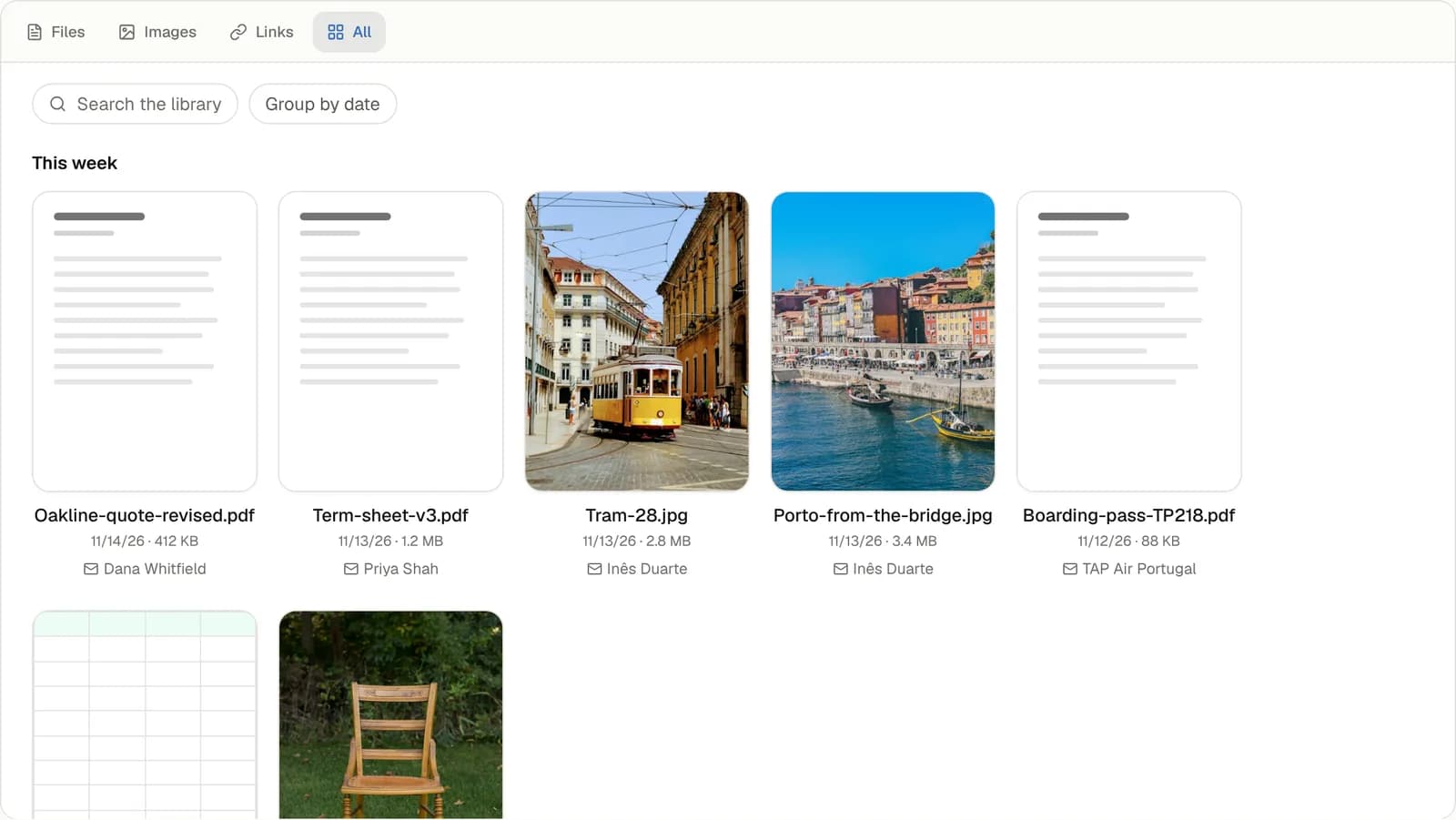
·Library documents, including a Helper's notes, open in a rich editor with a formatting toolbar instead of raw text.
·Follow-ups set from a page's chat show up in the iPhone app, and the dots stay on while a Helper is thinking.
Mail and replies10
·What's waiting on you now includes conversations where you promised the sender something, like documents you said you'd send.
·Links in an email open in the in-app browser on your phone.
·Inbox labels are off by default, for a cleaner list.
·A reply you start or edit in Gmail becomes the prepared reply in Initial, so there's only ever one draft.
·Replies look more like Gmail: recipients are clear, Reply goes to everyone by default, and Send is always on the right.
·Connecting another inbox starts with a choice of Gmail, iCloud or any other host, each with its logo, and offers your server's filing rules right after.
·Email headers are cleaner, and Calendly links are no longer flagged as suspicious.
·Turn any folder or label into a view tab in one tap, including mail you've already archived there.
·If one of your inboxes forwards to another, each email shows up once.
·Search ranks the emails that matter most to you higher, and lists equal matches newest first.
Travel5
·The Trip Helper pins the stops it adds at the place itself, not the middle of the city.
·Trip itineraries read as a tree of days on the web and your phone, with past days folded while you travel and a box that asks where you're staying when a night has no booking.
·Trip itineraries in the iPhone app lead with each day, give every item one row, and place notes next to what they're about.
·The same booking or order sent in two emails now shows up as one highlight.
·Dinner reservations finish on their own once the meal is over.
Shopping3
·The Shopper is now the Mall Helper, and Receipts has a Receipts Helper.
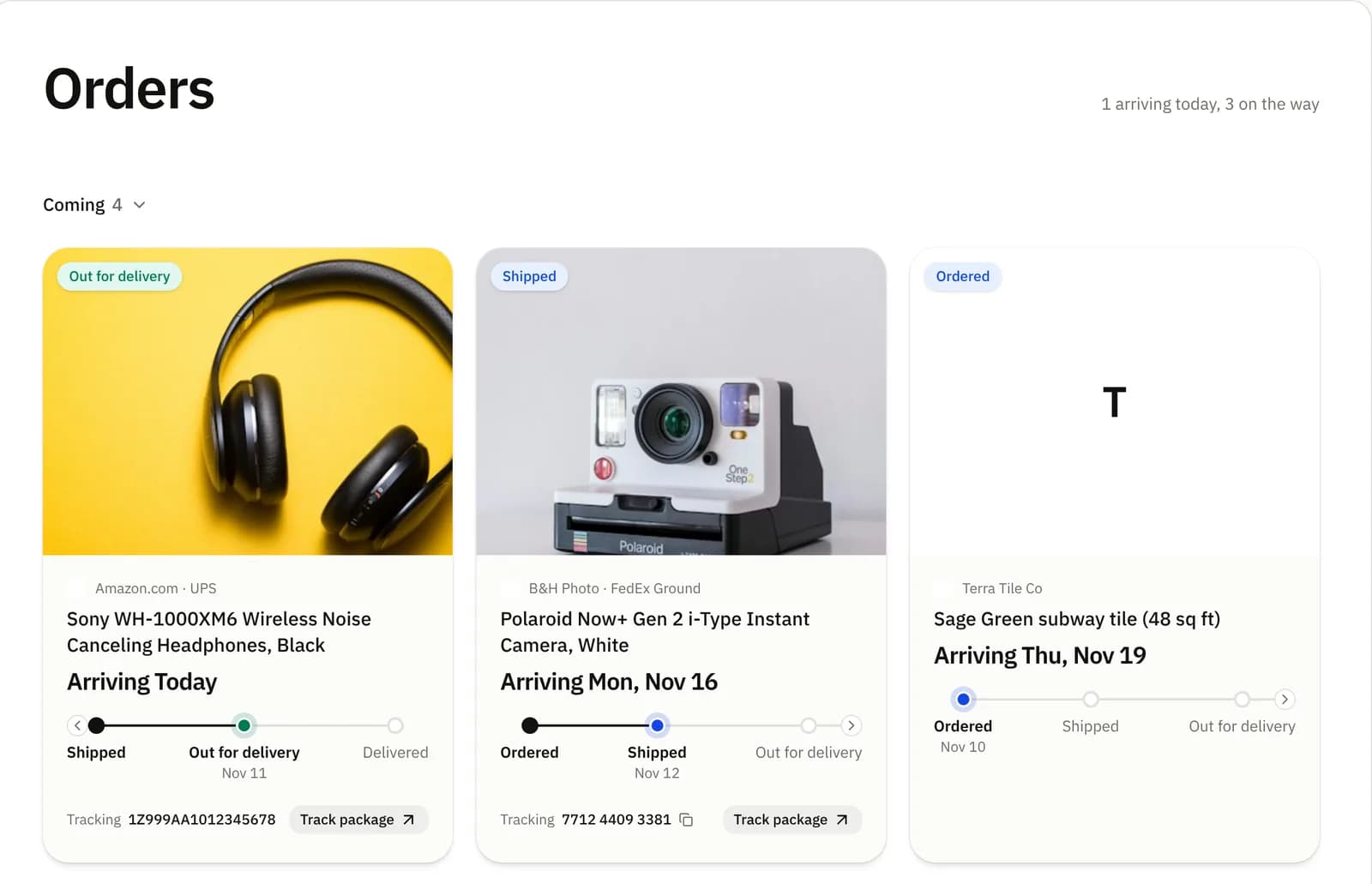
·Orders show a photo for each item in a package, and packages with no news in two weeks move to Arrived, with a Mark arrived button.
·Receipts show the photo of what you bought, or the store's logo, instead of guessing from the email's images.
iPhone2
·Opening a Topic, email or Helper chat clears its notifications on your phone, and unread badges clear once you've read them.
·On iPhone, the keyboard and splash screen match the app's theme.
App and account4
·One unread badge across the web and your phone makes new Helper messages and unread Topics stand out.
·Every page shows a loading outline in its own layout.
·Less personal information goes into our error reports.
·Pages on the web line up to consistent widths, and the details sidebar's times are shorter and quieter.
Fixes3
·Fixed replies sent from Home sometimes sticking on “Sending…”.
·Fixed an alert saying your bags were at the belt before the flight had left.
·Fixed a blank Up next widget and the flight Live Activity on iPhone.
The Mall Helper keeps an eye out
Tell the Mall Helper what you're looking for, like gifts for someone's birthday, and it watches new offers as they arrive. It can tell you about each find as it comes in, or send one update at a time you pick. Saved now holds named lists, so you and the Mall Helper can file things under “Birthday gifts” or “Kitchen”, and each list keeps a note on what belongs in it.
Page Helpers remember and follow up
Each page's Helper keeps one ongoing chat that's still there when you come back, and you can start a fresh one any time. Every Helper can follow up later or wait for an email, and keeps two notes in your Library: what it knows for good, like who you shop for, and what it's working on. Open them to see exactly what it remembers, and edit or delete anything.
Live updates for packages and flights
Initial now follows your shipments and flights with the carriers and airlines themselves. A delay, a gate change or a delivery shows up on Home and as a notification, often before any email about it arrives. Tracking numbers are found even when they only appear in a tracking link or an image, and orders show the carrier's expected delivery date.
Plan trips with the Trip Helper
Trips can now be changed from any chat. Ask to add a stay, a dinner or another leg and it lands on the itinerary. The Trip Helper searches the web to help you plan, shows the route on a map, and leaves short notes on the itinerary rows they're about, like a night with no place to stay.
A Helper on every page
Travel, Mall, Reading, Cleaning and Library each have their own chat now: the Travel Helper, the Mall Helper, the Curator, the Cleaner and the Librarian. Ask the Mall Helper to hide a store or save something, or tell the Curator to lead with a publication you love.
Orders and Receipts get their own pages
Orders shows what's on the way as photo cards with status, arrival date and tracking. Each photo is the item you actually bought, not a recommendation from the same email. Receipts adds up each month's spending with a year of monthly bars, finds totals that were hard to spot, and keeps card statements out.
Documents and files in every chat
Chats can write documents for you to send, like a letter or a plan, and save them as PDFs. Files you attach, paste or drop into a chat are kept in your Library, the Library is available in every chat, and any file in it can be attached to a reply.
Topics inside Topics
Groups are now parent Topics, so a Trips Topic can hold each trip and a Home projects Topic can hold the renovation and the fence quotes. Chat can create Topics and move them for you.
23 smaller improvements
Home1
·Dismiss or steer the posts in Home's waiting lists, with a swipe on your phone.
Topics3
·Emails cited in a parent Topic, a trip or the Library open at that exact email.
·Sign-in codes appear right on the highlight, ready to copy.
·Highlights without a date move to the end of the highlights bar.
Chat and Helpers6
·Library documents open in the details sidebar, which you can now drag wider.
·The Reply Helper and Research Helper only work on mail that needs a reply, so there are fewer drafts you don't need.
·Chat steps fold into one tidy “Working…” row while a reply is being prepared.
·Earlier versions of a reply stay in the chat when you ask for changes.
·Agents are now called Helpers.
·The message box grows as you type, and a chip jumps to your unread messages.
Mail and replies3
·Mail you trash or mark as spam in Gmail now leaves Initial too.
·See the full sender details (From, To and Cc) on any email on the web.
·Drafts follow your own writing style and keep to short paragraphs.
Travel2
·A trip's chat shows its booking emails as they arrive, with the Trip Helper's work in between, the same way a Topic's chat does.
·Bookings with a letters-only confirmation code join the right trip instead of showing up twice.
Shopping1
·Mall switches between stores and the catalog faster.
iPhone3
·The iPhone app supports larger text sizes.
·Search in the iPhone app is smoother, and it filters your Topics too.
·The dock opens to a full grid of every page.
App and account3
·Panes no longer jump sideways when a scrollbar appears.
·Send feedback from the profile menu on the web and in the iPhone app.
·The email that says your inbox is ready now shows your Topics.
Fixes1
·Fixed an error some people hit while setup created their labels.
Helpers
Every email now gets its own chat, and Helpers work through your mail while you're away. The Reply Helper drafts replies in your voice, using what's going on in your life, so the draft is waiting when you open the email. Nothing is sent until you review it, and you can change a draft just by asking.
Research Helper
Ask about the people in your mail and the Research Helper looks into it in the background, then answers with its sources. Its findings live in a Research tab, and people you hear from get a profile.
Initial remembers
Initial learns facts about the people in your mail, like who your contractor is or when your sister's birthday is, and uses them when it drafts and answers. Ask it what it remembers, tell it something to remember, or have it forget, right from chat or under Personalization.
Follow-ups and routines
Say “tell me when Dana replies” and the chat waits for that email, then picks the conversation back up. Follow-ups can run once or repeat, and Helpers can run on a schedule: once, daily, weekly or on your own pattern.
Protection from phishing
Initial now trusts only mail that proves where it came from. Suspicious messages get a clear warning banner, and links that point somewhere other than they claim are flagged before you tap them, on the web and on your phone.
Drafts open beside the chat
A draft opens next to the chat on the web and under it on your phone, like a document you're both working on. When you ask the chat for a change, you see it happen in the draft. Each email's details now sit in tabs too: Highlights, Info, Research and Library.
Browser notifications
Initial on the web can now send notifications too, for the mail that matters. Turn them on under Notifications in Settings.
12 smaller improvements
Topics2
·A Topic's chat posts each new email as its own short summary.
·Every open Topic is listed on the Topics page.
Chat and Helpers4
·Charts, calculators, comparisons and status boards in chat now work on your phone.
·Leave the app mid-reply and the answer is still there when you come back.
·Initial knows your time zone, so times in replies are yours.
·Suggested prompts are written for the conversation you're in.
Mail and replies3
·Search inside an email's details tab.
·Emails designed for phones keep their mobile layout.
·A new composer with a From picker and a way to connect another inbox.
Travel1
·Move a booking to a different trip, with undo, and flag dates that look wrong.
App and account1
·Every open Topic, email and chat has its own link, so refresh and Back work, and links open in the iPhone app.
Fixes1
·Fixed Google sign-in getting stuck for some people.
Every Topic is one ongoing chat
Open a Topic and you're in a single, long-running conversation that new mail flows into. When an email arrives, Initial posts what changed and what it means, and you can ask questions or have a reply drafted right there. It works the same way on your phone.
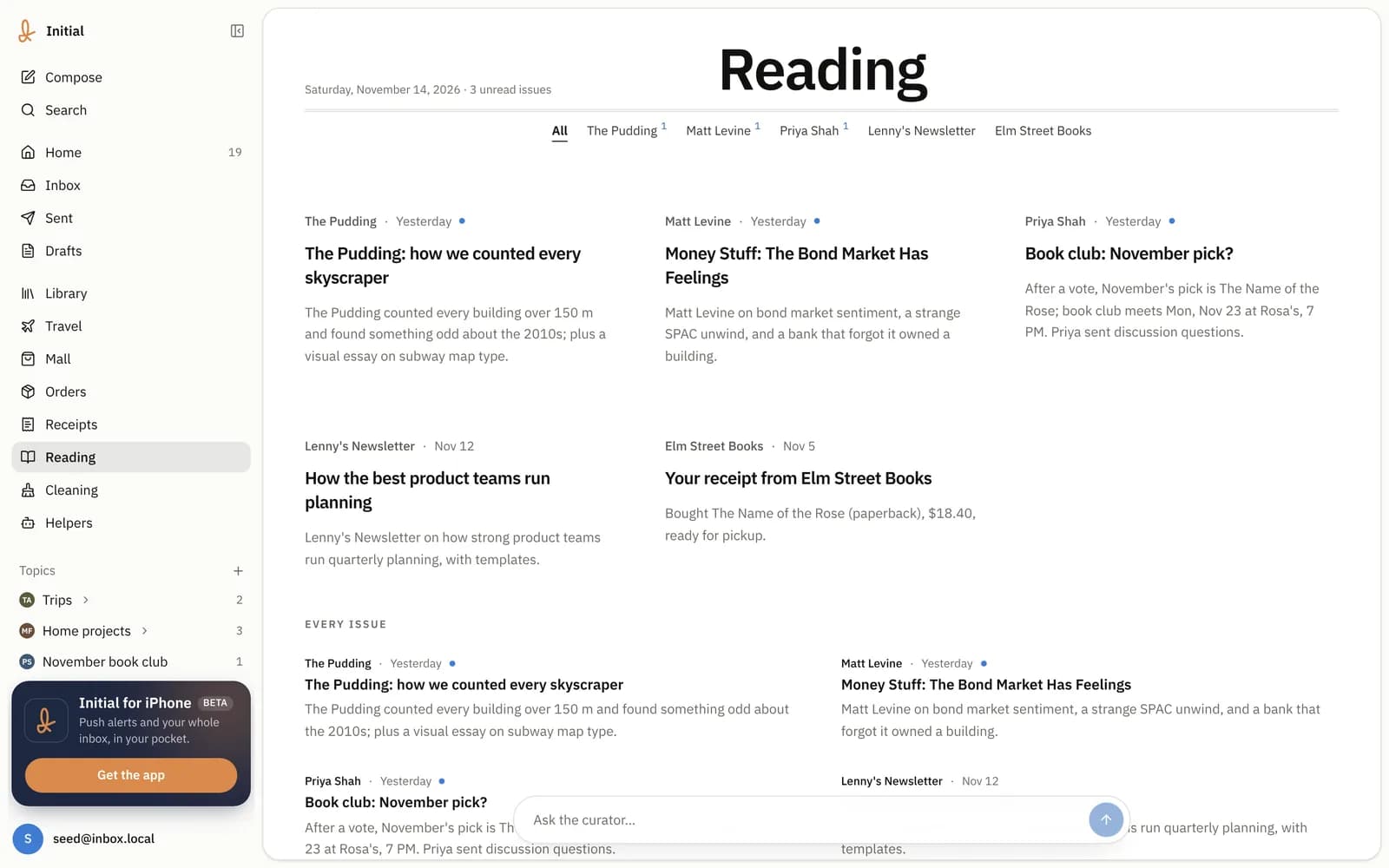
Reading
Newsletters get a page of their own, laid out like a front page. Initial picks the stories in each issue, and you can open any email exactly as it was sent or switch to a simplified view. Reading is in the iPhone app too.
Charts, calculators and maps in chat
When a question is easier to answer with a picture, chat builds one: a chart of spending, a calculator, a side-by-side comparison, or a trip plan on a map.
Home, your way
Home now has lenses for what's new, replies that are ready, what's waiting on you and what you're waiting on. Push any post to Later, or Steer it to tell Initial what you want to see more or less of. You can steer the summary at the top too, and Initial remembers.
Mall
Sales and offers from the stores you buy from, laid out like a catalog as their mail arrives. Heart what you like to keep it under Saved, see what's new since your last visit, and browse it all in the iPhone app.
A widget and Live Activities on iPhone
The Up next widget puts what's coming on your Home Screen, and flights get a Live Activity on your Lock Screen with gate and timing updates.
Emails when your inbox is ready
If you step away during setup, Initial emails you when your inbox is ready, then again when your full history import finishes, with a look at what it found, like your upcoming trips.
Privacy, explained during setup
Setup now walks through how your email is kept private, and you can stop and delete everything at any point while it runs.
15 smaller improvements
Chat and Helpers1
·Copy chat replies, and select text right where it is on iPhone.
Mail and replies3
·Print any thread, or save it as a PDF.
·Attach several files at once when writing an email.
·Search puts the best matches first.
Travel1
·Trips get better cover photos.
iPhone3
·All mail is available on your phone.
·The iPhone app opens instantly, even before it reaches the network, and tells you when you're offline.
·Join the iPhone beta from a card in the web app.
App and account7
·Sign in with a link sent to your email.
·When lots of people sign up at once, setup shows your place in line and lets you know when it's your turn.
·Mall and Reading start filling in while your history import is still running.
·Account and usage alerts are no longer treated as noise.
·New sign-in and sign-up screens with Google, Apple and Microsoft.
·New Trust page explaining what Initial can access and what it keeps.
·New product pages for Travel, Mall, Library and Helpers.
Initial for iPhone, rebuilt
The iPhone app caught up with the web, with a glass dock built for iOS 26 that keeps Home, Search, Compose and your Topics a thumb away.
Push notifications
Choose how much you hear about: what lands on Home, everything, or only what's time-sensitive, like a flight change.
A new Home
Home greets you with what's new, what's ahead, and a short note on what Initial cleaned up since you last looked.
Setup on iPhone
You can now sign up and set up Initial entirely on your phone, with a short intro and a step to turn on notifications.
Pages for every kind of mail
Orders, Receipts, Bills, Travel, Reservations, Reading, Mall and Security each have a page that gathers that kind of mail in one place.
4 smaller improvements
Mail and replies2
·Emails fill narrow screens instead of shrinking.
·Mark everything read in one tap.
App and account2
·A new logo.
·Highlights share one strip across the app.
Before the changelog
JuneA setup chatInitial started as a chat that learns how you like your inbox and clears the clutter to match.
JulyTopicsMail grouped by what's going on in your life, each Topic with a short Scoop of where things stand.
SeptemberHighlights and sharingCards for flights, deliveries and reservations with live flight status, and a link to share a Topic's Scoop with anyone.
OctoberChat on iPhone and HomeChat came to the iPhone app, and Home became the place Initial opens to.